Falling into the Self-Hosted Rabbit Hole (Setup Notes for FreshRSS, RSSHub, Memos, Uptime Kuma, Netdata, and Nginx Proxy Manager)

Table of Contents
I finally discovered how handy RSS is and set up FreshRSS, and from there I went and noticed the whole world of self-hosting.
The Internet Has Turned Into a Desert, So Let’s Use RSS
FreshRSS Turned Out to Be a Great RSS Reader (With Installation Steps)
Self-hosting, in short, means running services for yourself on a server you own (a VPS or a VM works too). The proper way to say it in Japanese would be “自己ホスティング” (jiko hosutingu), but “Self-hosted” sounds cooler, so that’s what I’m calling it.
These double as my work notes, so I’m putting together a list of the services I’ve set up.
FreshRSS
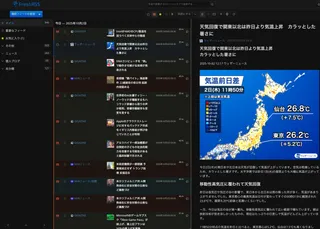
An RSS reader. I’ve used it every day since I set it up. Super handy.
See the articles above for details.

RSSHub
A service that generates RSS feeds for just about any website. At first I couldn’t figure out how it worked, but once I understood it, I was shocked at how useful it is.


RSSHub has the ability to generate RSS feeds for all sorts of sites. The supported sites are listed in the official documentation.
These features are implemented and maintained by community contributions.
There is technically a public instance, but if too many people use it, it gets IP-blocked, so it’s not very useful. That’s why it’s best to run your own RSSHub, in other words, to self-host it.
RSSHub Radar
There’s a browser extension called RSSHub Radar. In its settings, you specify
- the URL of your RSSHub
- the passphrase for your RSSHub (I set it up so the RSSHub API can’t be used without one)
- the URL of FreshRSS (or any RSS reader you like)
and then it detects not only the official RSS feeds on the page you’re currently on, but also the ones RSSHub can generate. You can jump to FreshRSS’s subscription screen with one click, which is incredibly handy. Honestly, if you use RSSHub, RSSHub Radar might be a must.


Memos
A super simple note-taking app. Recommended for people who want to keep notes just for themselves.
Functionally, it’s pretty much like sending DMs to yourself on Discord or Slack. It has Markdown support, tagging, image uploads, and so on.
But its search is very powerful, and even supports regular expressions. You can also post and fetch messages through a simple API, or set up a webhook to do things like “notify Discord when a memo is added.”
The advantage of self-hosting is that you manage your own data. There’s no need to worry about the service shutting down or the terms changing. It’s reassuring from a privacy standpoint too.
Setting Up a Keyboard Shortcut to Send Notes to Memos
Since Memos lets you add messages through its API, you can also create a custom shortcut on macOS and call it with a keyboard shortcut to add a note.
I set it up so that pressing Cmd+Shift+0 opens a prompt, and when I type a note and press Enter, it gets added to Memos.
Now I can instantly jot down whatever pops into my head while working on my PC or surfing the net. It’s also handy when I want to keep a string around for a while, or when I need to copy and paste several strings.

Future Work
It might be fun to make clever use of the API, for example by automatically adding a “today’s reflection” note at the end of every day.
Uptime Kuma
A tool for monitoring the uptime of servers and web services. It periodically accesses the URLs you specify and checks whether they respond.
For now, my only use for it is to bask in the glow of watching everything run properly, but I think it will really shine once I start doing more stuff. Apparently you can also have it send a notification somewhere when a service goes down.


Netdata
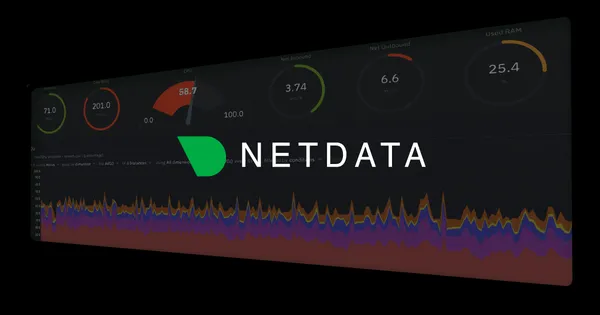
A tool for monitoring server resource usage in real time. It shows CPU, memory, disk, network, and other usage as graphs.
Right now I’m trying to get everything done within the free tier, so monitoring the VPS’s resource usage is important. That said, this one is also mostly for basking in the glow of a beautiful dashboard.

Nginx Proxy Manager
A tool that lets you manage Nginx configuration through a GUI. Handy when hosting multiple domains or services on a single server.
Especially for Netdata, accessing it through a reverse proxy is essential for restricting access from the outside.

About the VM
I was using Compute Engine, but it was so feeble that things got shaky around the time I installed Uptime Kuma. So I decided to use Oracle Cloud’s Always Free tier.
The insanely generous VM.Standard.A1.Flex has up to 4 CPUs and 24 GB of RAM, and costs 0 yen a month. I want to use it, but I can’t get any capacity allocated at all, so for now I’m settling for VM.Standard.E2.1.Micro.
Even so, being able to use the Japan region, and having SSD storage instead of HDD so that swap is actually usable, are big pluses. So far everything runs fine with all of these installed.
However, with Oracle Cloud, the more I touch it and the more I look into it, the more disappointing things I find. What’s especially scary is that there have apparently been incidents like VMs being suddenly stopped without any advance notice, or accounts getting banned.
The article below has a roundup of the earlier uproar. Having this many OCI account suspension incidents in Japan alone is pretty crazy, isn’t it?

About Docker
Honestly, I never really understood Docker until now, but building a self-hosted environment finally made me see how amazing it is. I want to go back and tell my past self, who tried to run Minecraft and WordPress on a single server and broke all sorts of things.
What’s Next
First of all, I want to get my hands on a VM.Standard.A1.Flex, no matter what. But if I’m going to be in this for life, building on OCI feels risky. Maybe the best option is to install Ubuntu on an old PC, set up a home server, and build a homelab. That fits the self-hosted spirit anyway.
More articles
- I Went Looking for Legal Absinthe, Drank Sage Tea Instead, and Ended Up Staring Into the Abyss of Herbs• #Life HacksA diary entry, my first in a while, about how I'm getting drawn into the world of herbs like sage and basil.

- LSENLTY's CO2 Monitor Came Back to Life Thanks to Godlike Support, So I Hooked It Up to Homepage• #HomelabMy smart CO2 monitor stopped connecting to the network, I contacted support, and they went above and beyond. Now I can view its metrics from Homepage.
- FreshRSS Turned Out to Be a Great RSS Reader (With Installation Steps)• #RSSI set up FreshRSS. I'm recording how I did it, too.
- The Internet Has Turned Into a Desert, So Let's Use RSS• #RSSA look at the charm of RSS, a technology for efficiently collecting only the information you actually want to see. Break free from the algorithm and get the good old days of web surfing back.

Notes on games, radio and technology, translated from the Japanese blog.