The Internet Has Turned Into a Desert, So Let's Use RSS

Table of Contents
The internet has become a wasteland where everyone fights over people’s attention. It’s what they call the “Dead Internet theory.” Ads I don’t care about, fake news, rage-bait, AI slop, and so on. I’m sick of all of it.
So maybe now is exactly the time to start using RSS? That’s what this post is about.
TL;DR
- Current state: ads, rage-bait, AI slop. The internet has become a desert full of noise.
- Solution: use RSS, the ancient technology that automatically collects updates only from the sites you like. I recommend Inoreader as your reader.
- Benefits: it wipes out ads, puts all your information in one place, and frees you from the algorithm.
- Conclusion: use RSS to get back the good old web surfing where you choose what you want to see.
What Is RSS in the First Place?
Roughly speaking, RSS (Really Simple Syndication) is a technology that automatically gathers only the updates from websites you care about into one place. Instead of aimlessly channel-surfing on TV, it’s like subscribing only to the magazines you already want to read.
The system is made up of two elements: “feeds” and “readers.”
Feeds
A website publishes a special file (an RSS feed) that describes information like the titles, summaries, and update times of its latest articles in XML, a format that’s easy for machines to read. This is the site’s “broadcast signal.”
Readers
Users run an application or web service (an RSS reader) to receive these “signals.” Once you register the feed URL of a site you want to follow, the reader checks the feed periodically and, whenever there’s an update, shows the new articles in a chronological list.
So to get started with RSS, all you have to do is pick a reader and gather the feeds you want to subscribe to.
…Come to think of it, this is exactly the good old Twitter, where users could freely customize both the client and the timeline.
Bonus: A Brief History of RSS
Just for the record, here’s a short history of RSS.
RSS traces back to 1999, to development at Netscape. After a period of confusion in which multiple versions sprang up everywhere, RSS spread alongside the explosive rise of blog culture. Blogs, where individuals freely publish information, and RSS, which lets you efficiently subscribe to their updates, worked as the connective tissue of a decentralized web with no central administrator.
What brought RSS to ordinary users was Google’s web service “Google Reader,” which appeared in 2005. Easy to use right in the browser, it became the central hub for how internet users gathered information at the time.
But on July 1, 2013, Google announced that it was shutting down Google Reader. The official reason was declining usage, but not many people believe that.
If your web surfing is fully self-contained inside RSS, there’s no room to slip ads in. For Google, spreading RSS was suicide. On top of that, Google was pouring its energy into its own social network, “Google+,” at the time. It’s quite likely they wanted to steer users over there.
The absence of Google Reader, the overwhelming market leader, opened a huge hole in the RSS ecosystem. Users scattered across countless alternative services, and most of them couldn’t offer anything close to Google Reader’s convenience.
That new “inconvenience” in RSS, combined with the algorithm-driven “comfortable” feed experience offered by Twitter and Facebook, which were growing rapidly at the same time, sealed the shift of both users and publishers away from the open, decentralized world of RSS and into the closed, centralized silos of social media.
And every one of those social networks has since rotted. Not just the companies running them, but even the users have turned into nothing more than things that endlessly pour out ads. That’s the current disaster, and I get the feeling that a movement to revive RSS is starting to emerge from here… maybe.
Why Should You Use RSS?
I should say up front that I’m a newcomer who only just started using RSS myself, but compared to normal web surfing, I feel it has the following benefits.
Noise Reduction
As I wrote at the top, the internet these days is just way too noisy.
For example, say you’re wondering “who’s going to win the leadership election?” (the race to lead Japan’s ruling party) and you open the following Yahoo News article.
You get a screen like this (this is with an ad blocker on. Without one, I imagine it’s much worse).

The information I actually wanted takes up only about half the screen.
The especially nasty ones are the “time thieves.” Links trying to lure you to other articles, and if you scroll to the bottom of the page, the infamous comment section is waiting for you. Once you get caught up in these measures to boost how many pages you click through, it’s very hard to escape. You usually end up at some celebrity scandal about someone you don’t know, or a rage-bait article, and you walk away feeling awful.
With an RSS reader, though, you can read the same article like this (since the feed itself doesn’t contain the full text, this is after using “Load full content (hotkey W)”).

I, at least, vastly prefer this.
With RSS, you can cut off the paths to information you didn’t ask for and receive only the essential content.
Read in Your Favorite Format
I think everyone has a favorite format (font, background, and so on) for reading text. And most sites are never set up the way you like.
For example, I don’t like the look of note (a Japanese blogging platform). The lack of a dark mode alone is unforgivable, but I hate everything about it, from the narrow width to the line spacing.
Even then, with RSS, you can read in the look you like (depending on the reader).
Read Everything in One Place
This is RSS’s original function, but being able to get the latest information from every source in one place is incredibly convenient.
Everyone surely has sites they visit more or less daily or regularly, and topics whose latest news they want to keep up with.
In my case, frameworks and services around AI are updated at a terrifying frequency, so checking their release notes was a daily chore. A textbook use case for RSS.

Once you’ve registered the feeds, you can search across multiple sources for a given topic all at once like this. This is insanely convenient.
With RSS, you can follow the latest information without wasting any effort.
High Portability
As long as you carry around the list of feed URLs you subscribe to, you can use pretty much any reader in pretty much the same way.
Syncing across multiple devices, like a PC and a phone, is easy, and you’re free from the vendor lock-in situation where you can’t switch because your settings won’t carry over (of course, that doesn’t apply if you use reader-specific features).
You can switch RSS readers freely.
How Do You Get Started with RSS?
Getting started is very easy. Unless you turn into a real heavy user, you should be able to do it all for free.
Pick a Reader
First, you need to pick a reader. I had Professor Gemini (the AI) put together a list of the representative ones.
(There must be countless others. Look around as needed.)
| Reader | Platforms | Pricing model | Free plan limits | Recommended for |
|---|---|---|---|---|
| Inoreader | Web, iOS, Android | Freemium | Feed subscriptions: 150 | Power users who want to automatically organize and filter huge amounts of information with rules and the like. Fully supports Japanese. |
| Feedly | Web, iOS, Android | Freemium | Sources: 100, feeds (boards): up to 3 | Beginners to intermediate users who want a balance of features and a polished UI. People interested in features like AI summaries. |
| NetNewsWire | Mac, iOS, iPadOS | Completely free | No limits | People who want a free, minimal, ad-free environment inside the Apple ecosystem. Open source. |
| Fluent Reader | Windows, Mac, Linux | Completely free | No limits | People who mainly use a desktop and want a free cross-platform app with a modern design. Open source. |
I wanted to use it together with the Zen browser, so my options were narrowed down to Feedly and Inoreader, which can be used on the web. I tried both, found Inoreader considerably easier to use, and that’s what I’m using now.
Inoreader’s free plan restricts some features. But what’s restricted is almost entirely Inoreader’s own features built on top of RSS, and there’s hardly anything that damages the pure RSS experience. The one exception is the cap of 150 subscribed feeds, which is a paywall that gets in the way of RSS itself, but with 150 slots, that should cover most people’s use cases.

Switching from Chrome to Zen Browser Radically Changed My Web Surfing
Subscribe to Feeds
After that, you just keep adding the feeds you’re curious about to your reader. The trick is to subscribe to everything for now and sort it out later.
Some feeds only give you the opening of an article instead of the full text. Readers also have a “read full text” feature, but with some feeds it doesn’t work well.
Tinkering with those things as you go along should be part of the fun.
Recommended Feeds
Here are some feeds I personally like.
Weathernews
A must. You get high-quality weather information. Weathernews puts the full article text inside the feed, so you can read articles with zero stress.
http://weathernews.jp/ch/gunosy/article.rssNHK News
You can’t do without a news site. The “read full text” feature works well with it, so I subscribe to NHK News (Japan’s public broadcaster).
The one below is the “Top Stories” category, with everything mixed together, but there are also feeds by category, so subscribing to those might be better if you’re interested in a particular topic.
https://www3.nhk.or.jp/rss/news/cat0.xmlEvents Near Where You Live
No matter where you live, there’s always a site that rounds up upcoming events.
For Tokyo, for example, there’s the following.
https://www.tokyofes.info/feed/If you subscribe, it’ll tell you good spots to go out to on the weekend. Recommended for physical and mental health.
Hatena Bookmark: Popular Entries
The so-called “hot entries” (hottentori). Feeds by category might be better here too.
https://b.hatena.ne.jp/hotentry.rssTrending Tech Blog Articles
Hot entries from Zenn and Qiita (Japanese developer article sites). Very useful for keeping up with what’s trending in IT.
https://zenn.dev/feedhttps://qiita.com/popular-items/feed.atomDaily Portal Z
Personally, I love it. The “read full text” feature doesn’t work well, but with DPZ (Daily Portal Z, a Japanese humor and lifestyle site), I want to read it properly on the site anyway, so that’s fine.
https://portal.nifty.com/rss/headline.rdfGenshin Feed
The internet is a wonderful thing. Genshin Impact has no official RSS feed, but volunteers run one.
You can choose by language and category from the following.


I subscribe to the Japanese “All articles” feed.
https://genshin-feed.com/feed/rss-ja-all-articles.xmlAny YouTube Channel
Depending on your reader, you can also subscribe to YouTube channels as RSS feeds.
Of course YouTube itself has a Subscribe feature, but (as far as I know) you can’t organize channels into folders or anything, and when you go to check for new videos you can end up falling into an endless Shorts hell, so I want to avoid going to YouTube itself as much as possible. Using this method is overwhelmingly more convenient.
I personally want to watch every video from this person, so I’m subscribed.

https://www.youtube.com/feeds/videos.xml?channel_id=UCy0tKL1T7wFoYcxCe0xjN6QRelease Notes for Any GitHub Repository
You can even subscribe to GitHub release notes. If you subscribe to the frameworks and so on that you use every day, you’ll catch the latest updates instantly, which is super handy.
The following is the release notes for Mizuki, the theme this blog borrows.


https://github.com/matsuzaka-yuki/Mizuki/releases.atomilapaj Library
This blog.
https://ilapaj.com/rss.xmlHow to Find Feeds
I’ve introduced a bunch of them, but it may be better to teach you how to fish rather than hand you fish.
1. Look for Text or Icons on the Site

On old-school websites, this orange icon marks the link to the RSS feed. It’s often tucked away quietly in the site’s footer or sidebar. Sometimes it’s just the text RSS. Click it and you should get either a page explaining how to subscribe or the raw data of the RSS feed. In the former case, follow the instructions; in the latter, just copy the URL from the address bar.
2. Use a Browser Extension
This is where you install a browser extension for finding RSS feeds.
With one of these extensions installed, if the site you’re viewing offers an RSS feed, an icon appears in the address bar or similar. Just by clicking it, you can grab the feed URL or register it directly in your reader.
3. Use Your RSS Reader’s Search Function
Full-featured readers like Inoreader and Feedly can find feeds automatically when you search by site name, keyword, or URL.
In most cases, you just paste the URL of the site you want to subscribe to and the reader figures out the feed for you, so this is the first thing to try.
Incidentally, I use Inoreader because I liked it better than Feedly in various ways, but when it comes to searching for feeds, I felt Feedly was better.
So a hybrid approach might be handy: find good feeds with Feedly and register them in Inoreader.
4. Guess the URL
As a last resort, you can try appending certain strings to the end of the site’s URL.
https://example.com/feedhttps://example.com/rsshttps://example.com/rss.xmlhttps://example.com/atom.xml
Blogs built on WordPress in particular (about 40% of all sites in the world are) can often give you a feed just by adding /feed to the end of the domain.
5. Use External Tools
I haven’t used it myself yet, but it seems that on Feedly’s and Inoreader’s paid plans, there’s a feature that forcibly generates an RSS feed even for sites that don’t provide one.
There also seem to be external tools that turn email newsletters into RSS feeds or Twitter accounts into feeds.
I haven’t tried it yet, but the one that especially catches my eye is the following.


Everything is RSSible
It’s an open-source project with that slogan, and it can “generate” RSS feeds from social networks that don’t officially provide them (Twitter/X, Instagram, and so on), news sites, and many other services.
Let’s Get the Good Old Web Surfing Experience Back
So that’s how RSS can solve the problems of the modern internet, and the concrete ways to use it.
RSS is by no means new as a technology. If anything, it’s something that was once branded “outdated.” But its philosophy feels newer and more important than ever precisely now that we live under the rule of algorithms.
I knew RSS existed but never used it at all. I’d always thought, “Drifting around is the fun part of the internet, so it’d be a waste to narrow down that possibility myself.” But there are lands where drifting is fun and lands where it isn’t.
The old internet was a satoyama, the traditional Japanese countryside dotted with scattered villages. Today’s internet is a post-apocalyptic world like a desert with only a few big cities here and there. Drifting around is no longer fun. To drift happily, you need tools.
The good old Twitter, where users could freely customize both the client and the timeline
I wrote that above, and the feel of RSS really is like this. Accounts become sites, and tweets become articles. If you want to get back that sense from those days that “you decide what you look at,” why not give RSS a try?
For starters, humor me and try adding the Weathernews feed in Inoreader.
More Feeds
I asked Professor Gemini to do a comprehensive search for Japanese RSS feeds. I can’t guarantee that the RSS feed URLs are accurate. It’s best to look at this as just “oh, there’s that kind of thing too.”
List of Major RSS Feeds in Japan
1. Government and Central Ministries
| Organization | Content overview | RSS feed URL |
|---|---|---|
| Cabinet Office | New press releases (press materials, statistics, etc.) | https://www.cao.go.jp/rss/news.rdf |
| Ministry of Internal Affairs and Communications | What’s new | https://www.soumu.go.jp/news.rdf |
| Ministry of Foreign Affairs | Overseas safety information for the whole world | https://www.anzen.mofa.go.jp/rss/news.xml |
| Ministry of Finance | What’s new | https://www.mof.go.jp/about_mof/rss/rdf/news.rdf |
| Ministry of Health, Labour and Welfare | What’s new | https://www.mhlw.go.jp/stf/news.rdf |
| Ministry of Health, Labour and Welfare | Emergency information | https://www.mhlw.go.jp/stf/kinkyu.rdf |
| Ministry of Economy, Trade and Industry | News releases | https://www.meti.go.jp/ml_index_release_atom.xml |
| Ministry of Economy, Trade and Industry | New statistics | https://www.meti.go.jp/statistics/st_news.xml |
| Digital Agency | New and updated information | https://www.digital.go.jp/rss/news.xml |
| Ministry of Defense | What’s new | https://www.mod.go.jp/j/rss/index.rdf |
| e-Gov | Public comments (all open solicitations) | https://public-comment.e-gov.go.jp/rss/pcm_list.xml |
| e-Gov | Public comments (all published results) | https://public-comment.e-gov.go.jp/rss/pcm_result.xml |
2. Local Governments
| Local government | Content overview | RSS feed URL |
|---|---|---|
| Tokyo Metropolis | Disaster prevention information | https://www.bousai.metro.tokyo.lg.jp/news.rss |
| Yokohama City | What’s new by field | Choose a field on the site to get it |
| Osaka Prefecture (Ikeda City) | City administration in general, event information, recruitment notices, etc. | https://www.city.ikeda.osaka.jp/cgi-bin/feed.php?mode=0 |
| Nagoya City | The whole official city website, by category | Choose a field on the site to get it |
| Sapporo City | What’s new and topics for each ward, what’s new for each bureau | Choose a field on the site to get it |
| Fukuoka City | What’s new by field, announcements for each ward | Choose a field on the site to get it |
3. Specialized Agencies and Independent Administrative Institutions
| Organization | Content overview | RSS feed URL |
|---|---|---|
| Financial Services Agency | What’s new, procurement information | https://www.fsa.go.jp/kouhou/news_rss2.xml |
| Securities and Exchange Surveillance Commission | Press releases | Provided on the site |
| Bank of Japan | Updates | https://www.boj.or.jp/whatsnew.rdf |
| National Diet Library | Magazine article index (the URL differs for each magazine) | Choose a magazine on the site to get it |
| RIKEN | Press releases, announcements, event information, etc. | Choose a field on the site to get it |
| National Institute of Advanced Industrial Science and Technology (AIST) | Press releases, research results, etc. | Choose a field on the site to get it |
| Japan Aerospace Exploration Agency (JAXA) | Press releases, updates | Provided on the site |
| Japan Meteorological Agency | Earthquake and volcano information (high-frequency feed) | https://www.data.jma.go.jp/developer/xml/feed/eqvol.xml |
4. Corporate IR and News
| Company | Feed type | RSS feed URL |
|---|---|---|
| Toyota Motor | News releases | https://global.toyota/export/jp/allnews_rss.xml |
| Sony Group | IR news | https://www.sony.com/ja/SonyInfo/IR/rss/rss.xml |
| SoftBank Group | IR news, press releases, announcements | Provided on the site |
| ITOCHU | Latest IR information, press releases | https://www.itochu.co.jp/ja/ir/news/index.xml |
| Mizuho Financial Group | What’s new for shareholders and investors | https://rss2.www.mizuho-fg.co.jp/rss?site=AQ83RXG5&item=6 |
| Fast Retailing | IR news | https://www.fastretailing.com/jp/ir/news/index.xml |
| Recruit Holdings | Newsroom RSS | https://recruit-holdings.com/ja/newsroom/rss.xml |
| Sumitomo Corporation | Latest IR information (timely disclosure), news releases | Provided on the site |
| Mitsubishi Corporation | IR news | Provided on the site |
| KDDI | IR news | Provided on the site |
5. Major Media
5.1 News Portals and Wire Services
| Provider | Content overview | RSS feed URL |
|---|---|---|
| Yahoo! News | Top picks | https://news.yahoo.co.jp/rss/topics/top-picks.xml |
| Yahoo! News | By category (domestic, international, economy, etc.) | https://news.yahoo.co.jp/rss/topics/domestic.xml and others |
| NHK NEWS WEB | Major news | https://www3.nhk.or.jp/rss/news/cat0.xml |
5.2 Newspapers
| Provider | Status |
|---|---|
| Asahi Shimbun Digital | Available |
| Yomiuri Shimbun Online | Provided in the past, currently unclear |
| Mainichi Shimbun / Sankei Shimbun | Availability unclear or unstable |
5.3 Major Overseas Media
6. Technology and Development
6.1 Tech Media and Communities
| Site | Overview | RSS feed URL |
|---|---|---|
| Publickey | Latest technology trends, enterprise IT news | https://www.publickey1.jp/atom.xml |
| Hatena Bookmark: Popular in Technology | Articles getting attention in Japan’s tech community | https://b.hatena.ne.jp/hotentry/it.rss |
| InfoQ Japan | Latest architecture case studies, development trends | https://feed.infoq.com/jp |
| gihyo.jp | Developer media run by Gijutsu-Hyohron | https://gihyo.jp/dev/feed/rss2 |
| CodeZine | Developer media run by Shoeisha | https://codezine.jp/rss/new/20/index.xml |
| DevelopersIO | Run by Classmethod. Especially rich in AWS information | https://dev.classmethod.jp/feed/ |
6.2 Corporate Tech Blogs
| Company | RSS feed URL |
|---|---|
| Cookpad Developer Blog | https://techlife.cookpad.com/feed |
| Yahoo! JAPAN Tech Blog | https://techblog.yahoo.co.jp/atom.xml |
| LINE Engineering | https://engineering.linecorp.com/ja/feed/ |
| Google Developers Japan | https://developers-jp.googleblog.com/atom.xml |
| Amazon Web Services Blog | https://aws.amazon.com/jp/blogs/news/feed/ |
6.3 Security Information
| Site | Overview | RSS feed URL |
|---|---|---|
| JVN | Vulnerability countermeasure information portal | https://jvn.jp/rss/jvn.rdf |
| IPA Security Center | Important security information | https://www.ipa.go.jp/security/rss/alert.rdf |
6.4 Event Information
7. Academia and Research
| Institution / platform | Overview | RSS feed URL |
|---|---|---|
| The University of Tokyo (utelecon) | Announcements | Provided on the site |
| Kyoto University (Institute for Integrated Radiation and Nuclear Science) | News, events (Japanese and English) | http://www.rri.kyoto-u.ac.jp/feed and others |
| J-STAGE | Academic journal platform (provided by each journal) | Choose a journal on the site to get it |
| CiNii | Academic information search service (turns search results into RSS) | Generated for each search result |
8. Specialized and Culture
| Site | Genre | RSS feed URL |
|---|---|---|
| Gekisaka | Soccer | Provided by category on the site |
| Number Web | General sports | Provided by sport on the site |
| Famitsu.com | Games | Provided by category on the site |
| BARKS | Music | Provided on the site |
| Eiga.com News | Movies | Provided on the site |
9. URL Structures of Blog Platforms
| Platform | RSS feed URL structure |
|---|---|
| Hatena Blog | {blog URL}/rss or {blog URL}/feed |
| note | Choose “RSS” from the menu on each creator’s page to get it |
| Ameba Blog | http://rssblog.ameba.jp/{blog ID}/rss20.xml |
| Qiita | https://qiita.com/{username}/feed |
| Zenn | https://zenn.dev/{username}/feed |
More articles
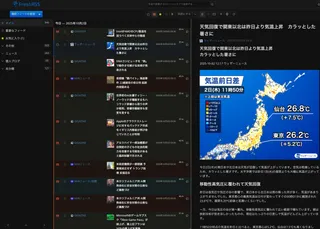
- FreshRSS Turned Out to Be a Great RSS Reader (With Installation Steps)• #RSSI set up FreshRSS. I'm recording how I did it, too.
- I Went Looking for Legal Absinthe, Drank Sage Tea Instead, and Ended Up Staring Into the Abyss of Herbs• #Life HacksA diary entry, my first in a while, about how I'm getting drawn into the world of herbs like sage and basil.

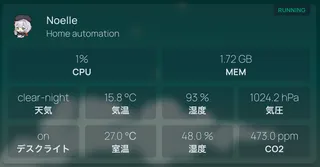
- LSENLTY's CO2 Monitor Came Back to Life Thanks to Godlike Support, So I Hooked It Up to Homepage• #HomelabMy smart CO2 monitor stopped connecting to the network, I contacted support, and they went above and beyond. Now I can view its metrics from Homepage.
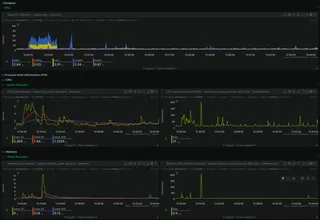
- Falling into the Self-Hosted Rabbit Hole (Setup Notes for FreshRSS, RSSHub, Memos, Uptime Kuma, Netdata, and Nginx Proxy Manager)• #Self-hostedThoughts on building a self-hosted environment.

Notes on games, radio and technology, translated from the Japanese blog.