Switching from Chrome to Zen Browser Radically Changed My Web Surfing
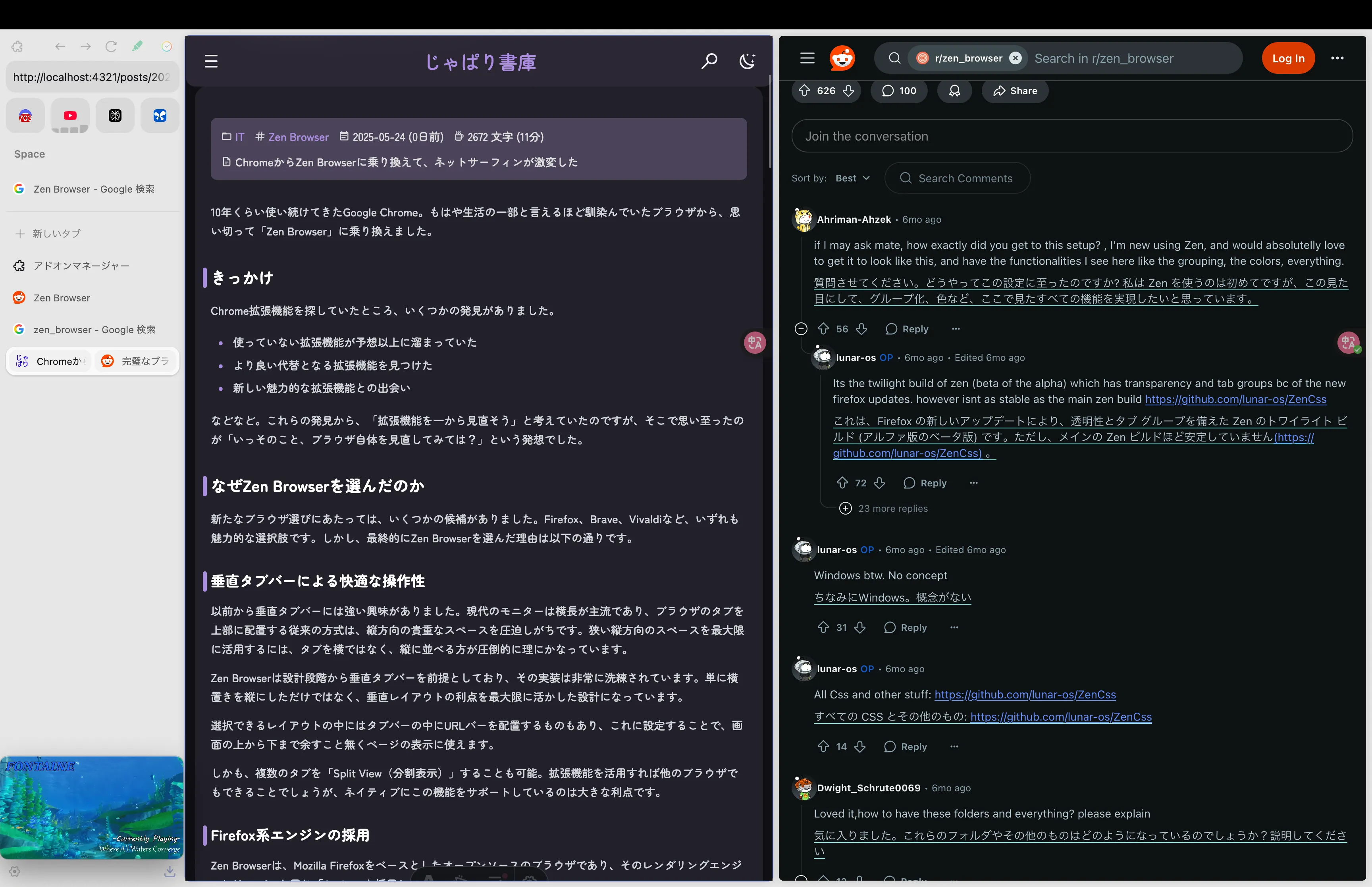
Table of Contents
Google Chrome had been my go-to for about ten years. From a browser so deeply woven into my daily routine that it was basically a part of my life, I took the plunge and switched over to Zen Browser.
The Catalyst
While browsing around for Chrome extensions, I made a few discoveries:
- An unexpected pile of unused extensions had accumulated
- I found better alternatives to some of the extensions I was using
- I came across some appealing new extensions
And so on. These discoveries got me thinking, “Maybe I should overhaul my extensions from scratch.” But that immediately led to another thought: “Why not just reconsider the browser itself?”
Why I Chose Zen Browser
When looking for a new browser, I had several candidates in mind. Firefox, Brave, Vivaldi—all compelling options. In the end, though, here is why I chose Zen Browser:
Smooth Usability with the Vertical Tab Bar
I’ve been interested in vertical tab bars for a long time. Most modern monitors are widescreen, so the traditional approach of placing browser tabs at the top tends to eat into precious vertical real estate. To make the most of that limited vertical space, stacking tabs vertically instead of horizontally makes overwhelmingly more sense.
Zen Browser was designed from the ground up around vertical tabs, and the implementation is exceptionally polished. It doesn’t just take horizontal tabs and rotate them ninety degrees; it’s built to maximize the unique advantages of a vertical layout.
Among the available layouts, there’s even one that places the URL bar inside the tab bar. By setting it up this way, you can use the screen from top to bottom, without wasting any space, entirely for page content.
What’s more, you can display multiple tabs in “Split View.” While you might be able to pull this off with extensions in other browsers, having native support out of the box is a huge advantage.
Just look at this beauty!
Powered by a Firefox-Based Engine
Zen Browser is an open-source browser based on Mozilla Firefox, using the same rendering engine: Gecko.
Because of this, it is fully compatible with the vast library of Firefox extensions right out of the box.
While Chrome might feel like it has the edge in raw extension quantity, most powerful extensions are available for both Chrome and Firefox anyway. Plus, I kind of wanted to stage a small rebellion against the age of Chromium hegemony.
I Liked the Design Philosophy
In terms of resisting Google, the open-source Zen Browser is a very attractive option. It provides a browsing experience free from Google tracking and is built from the ground up with privacy in mind.
With generative AI advancing rapidly, software across the board is undergoing a major turning point. Amidst all that, I had a vague expectation that truly innovative features might emerge not from big tech corporations, but from open-source, community-driven projects—and Zen Browser felt like one of them.
Zen Browser features a remarkably sleek design that keeps things simple while putting the information you need in the right places. There’s no need to go around turning off unwanted features aggressively pushed by developers, and by keeping decorative clutter to a minimum, it creates an environment where you can truly focus on the content. Truly Zen.
Impressions After Moving from Chrome to Zen Browser
Now that I’ve actually started using Zen Browser, I’m amazed at how comfortable it is.
The Vertical Tab Bar Is God-Tier
The vertical tab bar has been far more comfortable than I ever expected. It makes me wonder why I hadn’t been using one until now.
The benefit is especially obvious when you have many tabs open. With traditional horizontal tabs, as tabs pile up, they get squeezed narrower and narrower until titles become unreadable, and eventually even the icons disappear—forcing me into a repeated cycle of hitting “Close Tabs to the Right” to wipe the slate clean.
In Zen Browser, tabs are arranged vertically, so tab titles remain visible at all times, letting you see what every tab is at a glance. This makes switching between tabs dramatically smoother, and I never get lost among my tabs anymore.
Split View Is Also God-Tier
The ability to view multiple tabs in Split View dramatically boosts efficiency when you’re working across multiple sources—like during complex research or document drafting.
For example, there are countless times when you want to think through something with two pages open simultaneously—comparing code by having official documentation and Stack Overflow side by side, or checking reference sites while writing an article. In moments like that, being able to split views effortlessly inside the same window with a quick drag-and-drop or a single keyboard shortcut—without opening a separate window—is extraordinarily handy.
The Glance Feature Is Also God-Tier
In Zen Browser, you can apparently organize tabs into three tiers based on importance:
- Essentials
- Tabs that need to stay open all the time. These tabs are not unloaded automatically.
- Handy for keeping pages open where you don’t intend to navigate away to other sites.
- Perfect for things like social media, web-based LLMs, or a YouTube tab playing background music while working.
- Links to other domains always open in Glance.
- Pinned tabs
- Tabs that act as a kind of forward operating base for information searches?
- You can always jump back to the point where you pinned them.
- Links to other domains always open in Glance.
- Normal tabs
- No special features. Automatically unloaded after being inactive for a set period.
For tabs other than normal ones, links leading to external domains are always displayed via Glance. This feature lets you preview pages without actually opening them in a new tab. Previewing before opening keeps you from spawning unnecessary tabs, so if you use it well, you can prevent your tab bar from turning into cluttered chaos.
Drawbacks
Getting used to some of the operations takes an adjustment period if you’re coming from traditional browsers.
On the performance side, benchmark results currently show it lagging slightly behind Chromium-based browsers (roughly a 15–20% gap). However, given the nature of the Gecko engine, this is reasonably acceptable, and I hope to see further optimization in the future.
The lack of support for playing Widevine-based DRM content (such as Netflix) is, unfortunately, a limitation at this stage. Because Zen Browser is an open-source project essentially run as an indie development, the $5,000 DRM licensing fee seems to pose a major barrier.
Some Chrome-exclusive extensions may not work, but the rich catalog of Firefox extensions covers more than enough ground.
Despite these issues, I’m extremely satisfied overall. As an active open-source project, there is a lot to look forward to in future updates regarding both feature enhancements and stability improvements.
Zen Mods and Extensions I Currently Use
Here are the Zen Mods and extensions currently powering my Zen Browser setup:
Better Find Bar (Zen Mod)
- Enhances in-page search functionality.
Audio Indicator Enhanced (Zen Mod)
- Makes tabs currently playing audio stand out even more.
- Eliminates the whole “Where on earth is that sound coming from???” mystery.
uBlock Origin
- The standard for ad blocking. Works out of the box in Zen Browser as well.
Immersive Translate
- The best page translation extension I’ve found that supports bilingual display.
Hover Zoom+
- Enlarges images when you hover over them.
- Occasionally annoying, but useful far more often than not.
Web Highlights: PDF & Web Highlighter + Notes
- An extension for highlighting PDFs and web pages and leaving notes.
- Highlighted sections can be easily searched later on.
Enhancer for YouTube
- Supercharges YouTube’s features.
- Automatically switching to PiP mode when you scroll down to read the comments is super handy.
SponsorBlock for YouTube
- Skips sponsored segments within videos.
Return YouTube Dislike
- Restores the dislike count on YouTube videos.
BlockTube
- Blocks specific parts of YouTube content.
- While you can block specific channels, I use it to hide Shorts and auto-generated playlists.
- When you let videos play for a long time, an “Are you still watching?” popup can interrupt playback, but this extension can prevent that too.
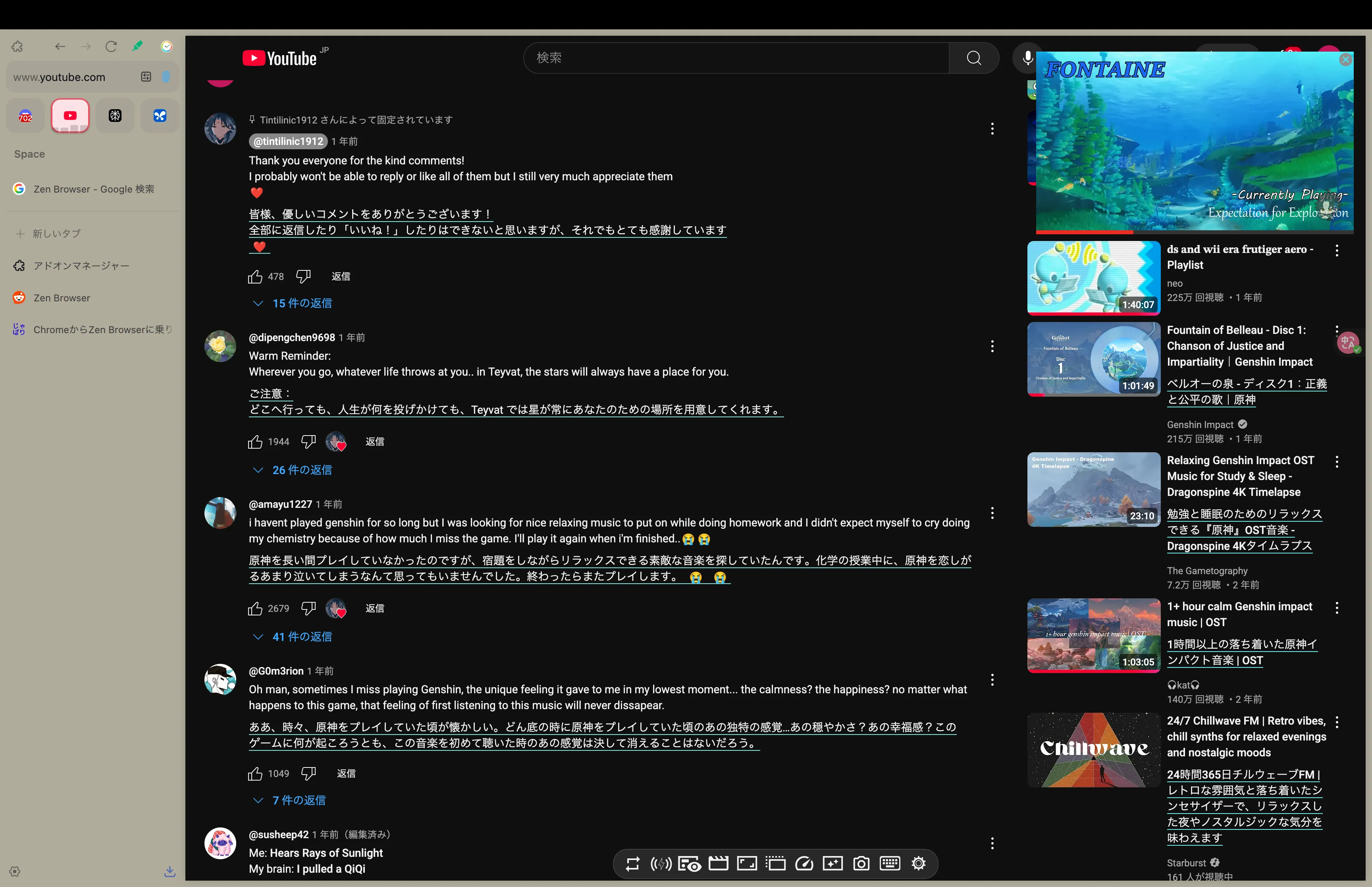
I seem to have an awful lot of YouTube extensions, but this setup makes browsing immensely comfortable.
Conclusion
What started as a modest effort to clean up my browser extensions ended up leading me to a wonderful choice: Zen Browser.
Zen Browser delivers on the key elements people want from a modern browser—privacy, deep customization, and active community-driven development—at an exceptionally high level.
In particular, the vertical tabs and Split View are guaranteed to give your productivity a serious boost. Give it a shot—trust me, you won’t regret it.
More articles
- Impressions of Genshin Impact Ver. 7.1 Snezhnaya, Up Through Act IV "A Rekviem for the Underworld"• #Genshin ImpactAfter two years, I've finally caught up with the current release.

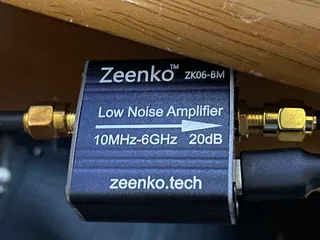
- I Bought a Cheap Wideband LNA from AliExpress, the Zeenko ZK06-BM• #RadioI used the Zeenko ZK06-BM to intercept METEOR-M2 4 and got the best satellite image I've ever received.
- On the End of the World• #ScreedIt's Ragnarok.

- Thoughts on Genshin Impact's Nod-Krai Storyline• #Genshin ImpactI finished Nod-Krai.

Notes on games, radio and technology, translated from the Japanese blog.