Immich Is an Awesome Alternative to Google Photos and Amazon Photos

Table of Contents
I finally set up Immich, which was pretty much the main reason I built a home server in the first place.
TL;DR
- Google Photos is convenient, but it costs money and you’re exposed to the risk of a false-positive ban
- Amazon Photos is garbage to use
- Immich can never ban you, and it’s super easy to use
- So I moved to Immich, and it really was that good
Background
I originally used Google Photos as my image archive. Back when you could store unlimited photos, that is. Then that service went away, so I moved to Amazon Photos, which does the same thing as an Amazon Prime membership perk.
Sure, it stores my photos, but its functionality was hopelessly bad compared to Google Photos. Search barely works, and the whole thing feels sluggish and annoying to use.
That’s where Immich got picked.
Setting Up Immich
It was quite the winding road.
VM vs LXC
Immich is a pretty heavy service, so there’s no doubt it should live on a separate host from my other services.
The question is how to separate it. At first I figured I’d just spin up a new VM, but the more I read, the more LXC started to look like the better choice.
The official Immich docs recommend running it in a VM, but a quick skim of Reddit showed a lot of people saying “I run Immich in LXC and have had zero problems.” Also, I asked Professor Gemini (the AI) which one was better, and the answer changed every time I asked.
LXC for resource efficiency, VM for peace of mind. I agonized over it, but in the spirit of adventure I decided to take on the uncharted territory of LXC.
Taking Back the HDD Hogged by lumine
The 8 TB HDD for storing media data was passed through to the lumine VM, which meant no other VM could access it. So first I had to fix that and make it accessible from multiple VMs/LXCs.
This took a lot of effort, but I eventually got it working.
Installing Immich in the nahida LXC
I decided to call the new Immich-only LXC nahida. (Yes, I know, it’s for photos, so shouldn’t it be charlotte? Charlotte is the photojournalist from Genshin Impact. But as a vault for memories, nahida is the more fitting name. Besides, I’d probably misspell charlotte.)
Also, making it an LXC that’s overwhelmingly lighter than a VM should be worthy of the name nahida (the tiny Dendro Archon).
Once the disk sharing worked, all that was left was to install Docker and set up the mount points sensibly, and it booted up without a hitch.
What’s Great About Immich
The Design Is Beautiful
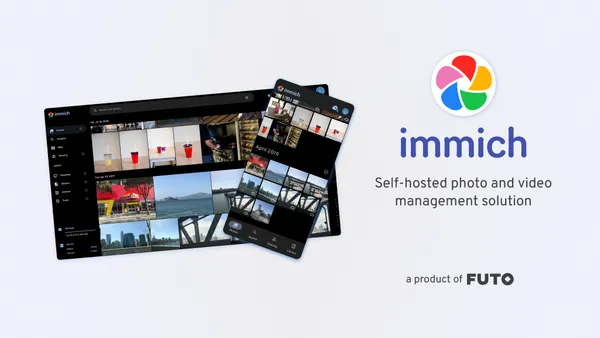
Honestly, it’s basically a Google Photos clone, and it looks almost identical. Thankfully, it’s not tacky like Amazon Photos.
Functionally, too, if you install the app on your phone it syncs automatically, so you can use it exactly like Google Photos or Amazon Photos.
The Search Is Amazing
The image search accuracy, which was my big complaint with Amazon Photos, is also excellent.
Searching by “context” works more or less as you’d expect if you type in English. It doesn’t quite reach the naturalness of Google Photos, but it’s overwhelmingly better than Amazon Photos. And this is FOSS, and it can do this much…

But what’s especially impressive is that you can combine multiple filters to do detailed searches.

You don’t have to fill in the make or model fields yourself. (Presumably) suggestions come up from the models that exist in your library, and all you have to do is pick one.
Location and date aside, searching by camera shouldn’t be possible even in Google Photos. I bet if you search “EOS” there, you don’t just get “photos taken with an EOS camera” but also photos that contain the text “EOS” and photos of EOS cameras themselves…
The “Map” Feature Is Amazing
From here on, I’ll go through features that Google Photos and Amazon Photos don’t have but Immich does.
First, the “Map” feature blew me away. Google Photos and Amazon Photos can group photos by place too, but I don’t think they can show them mapped out like this.
* I looked it up, and it seems the Google Photos phone app does have this feature. But it doesn’t seem to be available in the web UI on PC.


When you look for photos by location, you don’t normally think “let me find my photos from Kamoenai Village,” do you? It’s more like “let me find the photos from somewhere around here that I passed through on my trip.”
Maybe it comes down to personal preference, but as someone who’s bad at geography, I much prefer this.
”Review Duplicates” Is Insanely Good
Duplicate images are almost inevitable, but Immich automatically detects nearly identical images and offers to deduplicate them.

As you can see from the example above, the images don’t have to match exactly. Even with minor differences, it detects them as the same image. In other words, it properly groups things like a burst of near-identical shots.

You can resolve duplicates one set at a time with a button, and of course you can change which photo to keep. If that’s too much of a hassle, hit “Deduplicate All” and it sends everything except the largest file to the trash. Godlike.
It Loads Fast
In Google Photos or Amazon Photos, if you scrolled faster than a certain speed, image loading couldn’t keep up. With Immich, even when I scroll as fast as I possibly can, at least it never turns into a wall of blank white tofu blocks.
Maybe the lazy loading is implemented carefully, maybe it’s because I have the CPU all to myself, maybe it’s because everything stays inside my local network… Whatever the reason, this responsiveness makes a huge difference to how satisfying a photo library feels.
Conclusion
Honestly, it’s been less than 24 hours since I got it running and I haven’t even finished migrating from Google Photos to Immich. I’ve only uploaded the images that were on my phone, and I’m already this impressed.
(By the way, the library sync from my phone was also very fast. 3,800 photos / 22 GB took less than a night.)
Thinking about cost, Google Photos costs, for example, 4,400 yen (about $30) per year for 200 GB, or 36,400 yen per year for 5 TB. That’s even with the 16% discount for annual billing! Of course those plans come with assorted perks, but if you’re thinking purely in terms of photo storage pricing, you’d get better value by paying the same amount up front and buying an HDD.
And it’s not just that the cost per capacity is good. The features are better than those services, which is genuinely wonderful. What a difference from Amazon Photos, which can’t even bulk-export your library.
Having to come up with your own backup strategy is a big downside, but I don’t feel like leaving things with Google or Amazon is necessarily safe either (more on that later). If you really want to protect your photo library, you have to make backups either way.
Thinking about it like that, there’s no longer any reason not to use Immich. It’s truly wonderful FOSS.
Migration Tool
immich-go looks handy for migrating from Google Photos.

You get the URL of your Immich instance and an API key with the necessary permissions, run the command with those, and it apparently takes care of the rest. (Running right now.)
It reportedly migrates everything while properly preserving albums, favorites, and other metadata.
On Windows:
- Download the appropriate Windows build and extract the ZIP
- In the same folder as immich-go.exe, put all the
takeout-YYYYMMDD...-1-00x.zip-style ZIP files you downloaded from Google’s data export, without unzipping them - Type
cmdinto the path bar of File Explorer to launch a command line (I didn’t know that worked) - Run the following (replace the URL and API key with the correct ones, and the tag with something that makes sense to you)
.\immich-go.exe upload from-google-photos --server=http://URL --api-key=API_KEY --tag "migrated/Google-Photos/YYYY-MM-DD" .\takeout-*.zipand it starts processing. My export was 75 GB with 33k images and 15k videos (though most of those were Live Photos from an old iPhone), and it finished overnight. Of course, this will vary a lot depending on image sizes and your environment, so take it as a reference only.


Now I can see the route to Gunkanjima (Hashima Island, “Battleship Island”) much more clearly.
Bonus
I originally wrote the following in the “Background” section, but it got really long, so I moved it to the end.
Why move to Immich? Honestly, a lot of it comes down to feelings.
For starters, entrusting my photos to companies like Google and Amazon doesn’t feel great.
They lend me storage for free, so I figure having my photos used as machine learning training data is an acceptable price, more or less. It does give me a creepy feeling, but they’re not running a charity, either.
What worries me in particular is that these services can ban you so easily.
There seem to be countless cases of people getting banned, in Japan and abroad (especially by Google), and it basically goes like this:
- An image you uploaded to Google Photos is falsely flagged as inappropriate content
- Your entire Google account gets banned
- Your appeal is not accepted
Losing all your memories is painful enough, but when your Gmail address, your Google Drive contents and even your YouTube account get wiped too, the impact is devastating.
On top of that, lately you also often see a pattern where big companies cut off service to an entire country because of diplomatic or geopolitical risk.
For example, after Russia’s invasion of Ukraine, many companies suspended their services in Russia. From the outside it’s easy to say “Putin’s the bad guy here,” but for ordinary Russians it’s a nightmare.
Also, the following is a record of that kind of experience by an Iranian developer, and it was painful and frightening to read.

I do think Japan surely won’t be treated like Iran, but you never know what President Trump will pull.
…In short, I’ve gone fully paranoid about everything, and the urge to “manage my own data” has been growing stronger. That is the root reason behind my recent home server hobby.
More articles
- The FOSS File Server Copyparty Is Insanely Handy• #HomelabHow to set up Copyparty, and my impressions after using it.

- Noelle Reporting for Duty! (Building the AI Agent Ineffa)• #HomelabA record of how the Clawdbot-based AI agent "Ineffa (Noelle)" overcame a series of troubles and finally went live.

- Guarding the Heart, or a Lightning Flash of Admonition• #HomelabAn unsettling short story written by Gemini 3 Pro Preview.

- Noelle Has Come to My Home• #HomelabBy combining Home Assistant, the Wyoming Protocol, Style-Bert-VITS2 and more, I turned my home server into a Noelle smart speaker.


Notes on games, radio and technology, translated from the Japanese blog.