Notes on Genshin Impact's Returnee Events: Stellar Reunion and Reunion Gifts
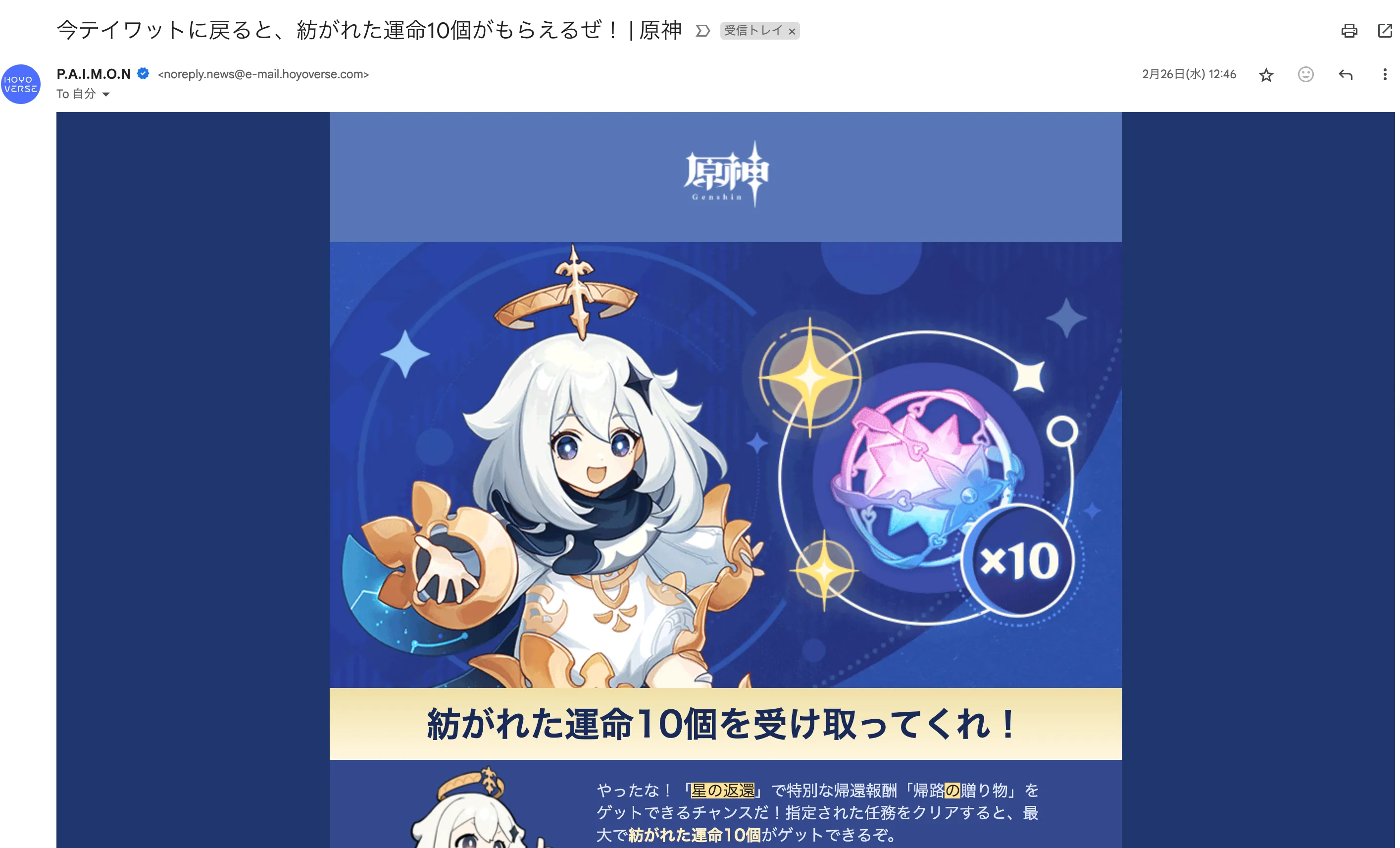
Table of Contents
In Genshin Impact, if you don’t log in for a while, a returnee event called “Stellar Reunion” unlocks. Here are my notes on what I learned about how its mechanics work.
Unlock Requirements
The returnee event is split into two tiers. Here are the unlock requirements for each:
- Stellar Reunion
- Adventure Rank 10 or above
- Have not logged into the game for 14 consecutive days or more
- At least 45 days have passed since the previous Stellar Reunion event was activated
- Reunion Gifts
- Adventure Rank 30 or above
- Have not logged into the game for 45 consecutive days or more
- At least 60 days have passed since the previous Reunion Gifts event was activated
- Reunion Gifts will activate simultaneously when Stellar Reunion activates, provided its requirements are met.
All of this is just as officially explained, but there are a few points where you need to be careful.
Unlocked Does Not Mean Activated
The returnee event unlocks—meaning it becomes available to activate—the moment you meet these conditions. However, it hasn’t actually activated yet at that point.
When the player logs into the game after a hiatus, the event activates at that exact moment, and the countdown for the 7-day event period begins.
- At least 45 days have passed since the previous Stellar Reunion event was activated
- At least 60 days have passed since the previous Reunion Gifts event was activated
These day counts seem to use the day the player actually logs back in as the starting point, rather than when the event became eligible to unlock.
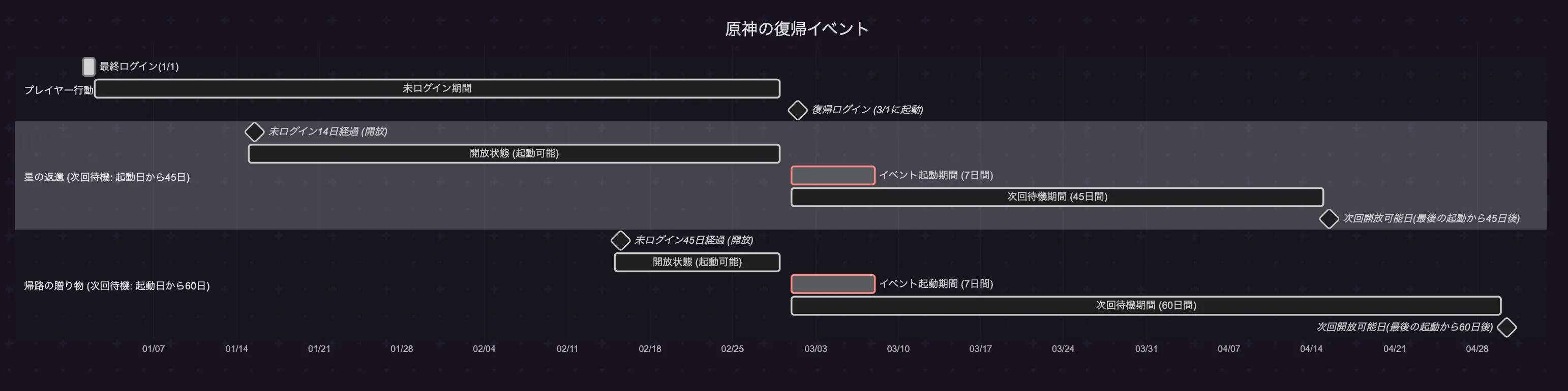
If your last login was on January 1 and you finally logged back in on March 1, the timeline looks something like this:
No Email from Paimon When Stellar Reunion Unlocks
The last time Stellar Reunion unlocked, I received an email like this from Paimon:
This time, however, even though 45 days had passed since the last Stellar Reunion activation, no email came from Paimon. Most likely, you only get a comeback email when you meet the unlock conditions for Reunion Gifts. After all, getting 10 Intertwined Fates is exclusive to Reunion Gifts.
If you only want to trigger Stellar Reunion, you’ll need to calculate whether you meet the unlock conditions yourself.
Farming Returnee Events Is Not Efficient
Naturally, if you only look at the number of Primogems you get, logging in every day and clearing your daily commissions is vastly better. Activating the returnee events every 45 or 60 days is simply not efficient.
So deliberately holding off on logging in right from the start just for the sake of the comeback events probably isn’t a good idea. That said, if you’ve already grown kind of bored and haven’t logged in for a few days anyway, aiming for these returnee events might actually be worth considering.
When I felt like playing Genshin again after a while, my situation was:
- 14 days since my last login
- 40 days since the last time I activated both Stellar Reunion and Reunion Gifts
So I held off on logging in for just 5 more days before jumping back in. If I had held off for about 30 more days, I could have gotten Reunion Gifts as well, but Venti showed up on the banner, so I compromised.
I was worried because no email had arrived from Paimon, but sure enough, Stellar Reunion activated without a hitch.
Summary
- The event cooldown period counts from the date of the previous activation.
- Stellar Reunion will activate even if you don’t receive an email from Paimon.
- The rewards are generous, but taking an extended hiatus just to trigger the event is inefficient.
2026/01/12 Update: About the Email from Paimon
An email from Paimon won’t necessarily arrive the exact moment Reunion Gifts is unlocked.
The email might not arrive right on day 45. At least in my case, I waited until day 48 and it still hadn’t arrived.
Even if the email doesn’t come, the event will still activate as long as you meet the conditions, so keeping track of your own last login date becomes crucial.
2026/01/12 Update: How to Check Your Last Login Date
Here are a few ways to check your last login date:
1. Use the Friend Feature on an Alt Account
Set up a secondary account and become friends with your main account. Once accepted on the main account, you can accurately track your main account’s last login date from the alt account from then on.
Drawback: Requires preparation in advance.
2. Use the Traveler’s Diary in the HoYoLAB App
Install the HoYoLAB mobile app and check the “Traveler’s Diary.” It stores your entire earnings history for Mora and Primogems over the past 3 months. As long as you’re certain you engaged in some activity and acquired Mora or Primogems whenever you logged in, the day of your latest earnings entry will be your last login date.
Drawback: If you ever logged in for just a split second and logged out without earning anything, this information is useless.
More articles
- Impressions of Genshin Impact Ver. 7.1 Snezhnaya, Up Through Act IV "A Rekviem for the Underworld"• #Genshin ImpactAfter two years, I've finally caught up with the current release.

- Thoughts on Genshin Impact's Nod-Krai Storyline• #Genshin ImpactI finished Nod-Krai.

- I Had "AI Mona" Analyze the Raw METEOR-M2 4 Weather Satellite Data• #RTL-SDRBased on the raw WAV data of METEOR-M2 4 that I received at a temple in the dead of night, I had Astrologist Mona Megistus (Gemini) explain the whole thing.
- Genshin Impact 2026 Theater of Memories• #Genshin ImpactHow my 2026 went in Genshin Impact.

Notes on games, radio and technology, translated from the Japanese blog.